
Clay County Court Calendars Explained
Clay County District Court posts a daily calendar covering the trial-level settings it handles. Minnesota runs one unified District Court system. Criminal, civil, family, probate, juvenile, traffic, and conciliation matters from Clay all live in that structure. What you can see for a single calendar entry still depends on the case type. A calendar is only a schedule. It is not the full Register of Actions. It will not answer every question about a case.
The local court calls its calendar searchable but warns that not everything appears there. Confidential matters stay off. So do records barred from remote access under Minnesota Rule of Public Access 8, subdivision 2. Clay court dates also surface through MCRO Hearing Search. That interface is separate from the daily calendar. Whatever a search returns, the hearing notice issued to a party still controls. It remains the most reliable instruction for the setting and any appearance requirements.
Note: a Clay court calendar can locate a public setting. An online omission never proves a hearing was cancelled or moved.
Clay Court Date Sources and Update Cycle
The official Clay daily-calendar PDF goes up at 7 a.m. each business day. It gets refreshed hourly. Think of it as a published daily document, not a case-search database. A current PDF can stretch across many pages, with rows showing the day's public settings. Frequent updates do not fix the court's own warning that the online calendar is incomplete.
Clay also states this. The printed calendars outside courtrooms and in public lobbies are the most current versions. That matters when a setting was reassigned. It matters when a courtroom changed, or a late update has not reached the remote copy yet. The courthouse posting is its own access channel, not just a copy of the PDF. When two sources disagree, ask Court Administration. The hearing notice also settles the question for an individual case.
The official MCRO Hearing Search page illustrates the public hearing-search context. It is not a live party record.
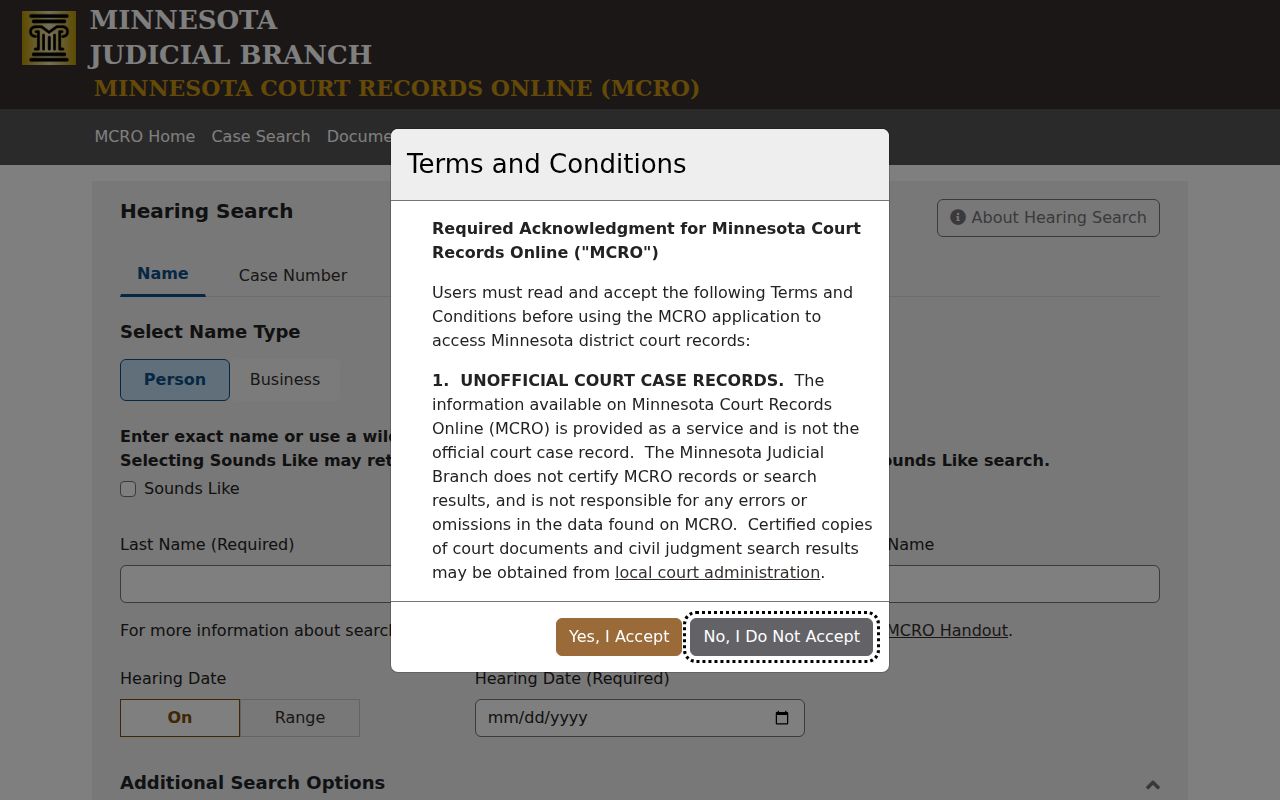
The search interface complements the daily calendar. It lets you narrow public Clay court-date results before checking the individual setting itself.
Finding Your Court Date
Pick the route that matches what you already know. MCRO Hearing Search works a few ways. Search by person or business name, complete case number, judicial officer, or attorney. You can set a hearing date or range. Filters cover Civil, Criminal, Family, or Probate and Mental Health categories. You can also select Clay as the county. Case Search opens case details and hearing history once a case is located. For the current published local calendar, the daily PDF is the tool.
Each channel has its own job. Online tools help you locate a public setting. Printed courtroom and lobby calendars give the most current local posting. Clay County Court Administration can confirm a calendar discrepancy or a record-access question. An attorney handles case-specific advice and notice details. For the assigned setting, the hearing notice controls the instructions.
- Search MCRO Hearing Search by name, complete case number, attorney, or judicial officer and select Clay with a useful hearing date range.
- Check the Clay daily calendar for a public setting on the relevant business day.
- Read the hearing notice for the authoritative date, time, appearance instructions, and any case-specific change.
- Review the printed calendar outside the courtroom or in the public lobby when already at the courthouse.
- Call Clay County Court Administration at 218-227-7040 if the sources conflict or a needed setting is absent.
Clay Court Date Searches and Hearing Notices
MCRO Hearing Search offers no Case Status filter. Its results are a search aid, not a promise that every calendar event is visible remotely. A complete case number is usually the sharpest way to pin down a specific Clay court date. Name searches run into the same exact-match and spelling problems that affect Case Search. When the case number is missing, try another route. A judicial-officer or attorney search can still get you there.
The Minnesota Judicial Branch hearing guidance makes the hierarchy clear. The statewide Remote and In-Person Hearings Policy controls the setting. So does the notice issued for the hearing. Never read a calendar field as permission to join remotely, skip an appearance, or show up somewhere else. Connection Type is public calendar information. The notice carries the case-specific instruction.
| Source | What it confirms | What it does not prove |
|---|---|---|
| MCRO Hearing Search | Public search results filtered by date, category, person, case, attorney, or judicial officer. | That every Clay setting is remotely available or unchanged. |
| Clay daily PDF | The posted public daily calendar and its current listed settings. | That an absent matter was cancelled or that the PDF is the most current source. |
| Hearing notice | The specific setting and appearance instructions issued for the matter. | A public replacement for the full case record. |
How to Read a Court Setting
A Clay calendar row is a single setting record. The daily-calendar header lists Party Name, Hearing Location, Hearing Date, Time, Judicial Officer, Hearing Type, Connection Type, and Case Number. Beyond the party name, the fields fill in the rest. They cover the time, the court location, the judicial officer, the stated purpose, the connection arrangement, and the case identifier for that setting.
One row is not the whole docket. It shows no filings and no prior events. It shows no final resolution of a charge and none of the court's access limits. When you need the full public Register of Actions, open the case through MCRO. When the date or appearance details are in doubt, use the hearing notice. Court Administration answers the rest.
| Hearing Location | The listed Clay court location for the setting, subject to any notice or court update. |
|---|---|
| Hearing Date and Time | The scheduled date and time in the calendar row, not a guarantee that it will remain unchanged. |
| Judicial Officer | The officer named for the setting. Assignments can change. |
| Hearing Type | The stated purpose of the setting, such as arraignment, motion hearing, review, or conciliation hearing. |
| Connection Type | A listed arrangement field. The hearing notice controls the required appearance method. |
| Case Number | The identifier that can lead to the Clay case record and public Register of Actions. |
Clay Court Setting Labels Explained
A hearing label on a Clay County calendar names a planned event. It says nothing about the outcome. The calendar has carried many labels. Examples include Hearing, Omnibus Hearing, Review Hearing, Scheduling Conference, Account Hearing, Initial Appearance - Rule 8, First Appearance, Settlement Conference, Pre-trial, Court Trial, Arraignment, Probation Violation Hearing, Conciliation Hearing, Motion Hearing, Eviction Hearing, and Intermediate Disposition Hearing. The case category often explains why a particular label appears.
None of these settings is a judgment. A scheduling conference or settlement conference resolves nothing by itself. Arraignment, omnibus hearing, and pre-trial mark separate stages of a criminal docket. A motion hearing takes up a request for court action. It is not a ruling. A review hearing usually means one thing. The court is checking status or compliance. Want to know what was actually filed or entered? Read the Case Details record and the later Register of Actions entries.
- Arraignment
- A criminal setting where the case moves through an early formal stage.
- Omnibus hearing
- A criminal hearing label that can address pretrial issues and motions.
- Pre-trial
- A setting before trial, not an outcome or a final ruling.
- Motion hearing
- A setting to address a request for court action.
- Review hearing
- A calendar label for a court review of the matter's status or a related issue.
Note: A label alone is not an answer. Read the exact Clay hearing label with the case category and later Register of Actions entries before concluding anything.
Continuances, Resets, and Cancellations
A Clay County setting can move for many reasons. Scheduling conflicts, continuance requests, and courtroom assignments can all shift a court date. So can judicial-officer assignments. Something case-specific can do it too. There is no single reset code or lead time that covers every case type. The daily calendar updates hourly, so public postings can change during a business day. A calendar refresh is still no substitute for the case notice.
When an entry vanishes from the online calendar, that proves nothing. It may reflect a continuance, a cancellation, or a final resolution. It could just as easily be a remote-access limit. It might be a posting update. Or it might be a moved setting. Compare the daily PDF with MCRO Hearing Search when that helps. Then confirm through the hearing notice and Court Administration. Never assume a setting was excused without an official instruction.
Clay Court Calendars and Remote Access Limits
Clay's court page is direct. Confidential matters and records excluded from remote access under Rule 8, subdivision 2 are not posted on the online calendar. That keeps the daily calendar from serving as a complete census of Clay court dates. It is incomplete by design. A record open for inspection at the courthouse may follow a different remote-access path. The reasons vary. Case type can narrow public access to certain court records. So can a rule, a statute, or a court order.
For the framework, Minnesota's Rules of Public Access describe the general presumption of access, how case-record access is determined, and where remote limits sit. A blank public-web result proves nothing. Check with Clay County Court Administration before labeling a record confidential or sealed. Do not republish meeting links or access codes. Do not republish party names or private details from a live calendar row.
Access reminder: A public court calendar is a limited scheduling record. The court's posted access rules and the individual hearing notice determine what can be seen remotely and how a person must appear.
If You Miss a Court Setting
Missed a Clay County court date? Call Court Administration right away. Review the hearing notice and the public case record for the next listed event. If an attorney represents a party, that attorney should hear about it too. Only the court controls scheduling. A public calendar entry cannot give legal advice or confirm an appearance was excused. Searching the calendar does not create a new hearing.
Skipping a setting can carry real, case-specific consequences. In a criminal matter, the docket may show a failure-to-appear issue, a warrant-related entry, a bond consequence, or a new hearing direction. The exact result depends on the case and the court's order. A general calendar label will not tell you the consequence or the next required step.
Missed a Clay court date? Contact Clay County Court Administration at 218-227-7040 and any attorney of record promptly to confirm the current setting and court instructions.
Use the hearing notice and the court's response, not the absence or presence of an online calendar row, to determine how to proceed.
Clay Court Date Questions for Court Administration
Clay County Court Administration is the local contact. Bring calendar discrepancies, courthouse access questions, copies, and certification requests to this office. The office sits on the second floor at 807 11th Street North in Moorhead. Listed weekday hours run 8:00 a.m. to 4:30 p.m. The telephone number is 218-227-7040. Use the office to confirm a setting. It does not give informal interpretations of a case.
The Clay County court directory listing offers another official county contact route. The daily PDF is one route. Hearing Search and Case Search are others. Printed courthouse calendars, a notice, or the local office work too. Each has gaps. No single route replaces the others. The practical goal is confirming the specific setting with whichever source controls it.
Clay County Court Administration
807 11th Street North, second floor
Moorhead, MN 56560
218-227-7040
Weekdays, 8:00 a.m. to 4:30 p.m.